Xylorix PocketWood
Overview
Xylorix PocketWood is a mobile reference database for macroscopic wood identification, containing over 500 wood species from around the world. It provides detailed species information, macroscopic reference images, and physical property data — all available offline, directly on your device.
Whether you are a wood scientist, forester, customs officer, conservationist, woodworker, or student, PocketWood gives you quick access to species data organized across 17 regional datasets spanning Asia, Europe, Africa, North America, and South America.
PocketWood is a reference database — it does not perform AI-based identification. For automated wood identification using AI models, see the Xylorix Inspector app.
Getting Started
Download
PocketWood is available on both major mobile platforms:
- iOS: Download from the App Store
- Android: Download from Google Play
App Navigation
PocketWood uses a bottom tab navigation bar with five tabs:
| Tab | Icon | Description |
|---|---|---|
| Home | Home | Welcome screen and app information |
| Database | Search | Browse and search the wood species database |
| Camera | Camera | Capture images of wood specimens |
| Gallery | Image | View and manage your captured images |
| Settings | Gear | Language, theme, and app preferences |
Browsing the Database
The Database tab is the core of PocketWood, giving you access to all 500+ wood species.
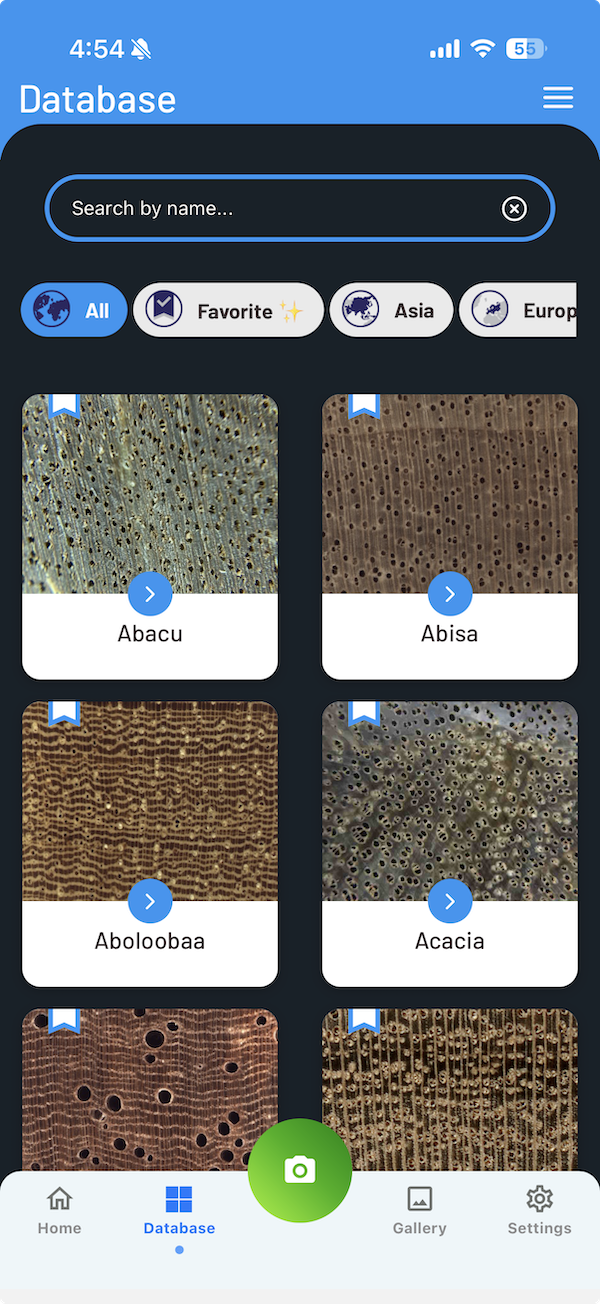
Searching for Species
Use the search bar at the top of the Database screen to find species by:
- Scientific name (e.g., Tectona grandis)
- Common name (e.g., Teak)
- Vernacular/local name
The results filter in real time as you type.
Display Modes
Toggle between two display modes:
- Grid view 🔲 — Species displayed as image cards in a grid layout
- List view ☰ — Species displayed in a compact list format
Filtering by Region
Use the region filter buttons to narrow down species by geographical origin:
- Global — Show all species
- Asia — Species from Southeast Asia, South Asia, and East Asia
- Europe — European timber species
- Africa — African timber species (including Ghana, Mozambique, South Africa datasets)
- North America — North American hardwoods and softwoods
- South America — Brazilian and other South American species
Species Details
Tap on any species to view its full detail page. Each species entry may include the following information:
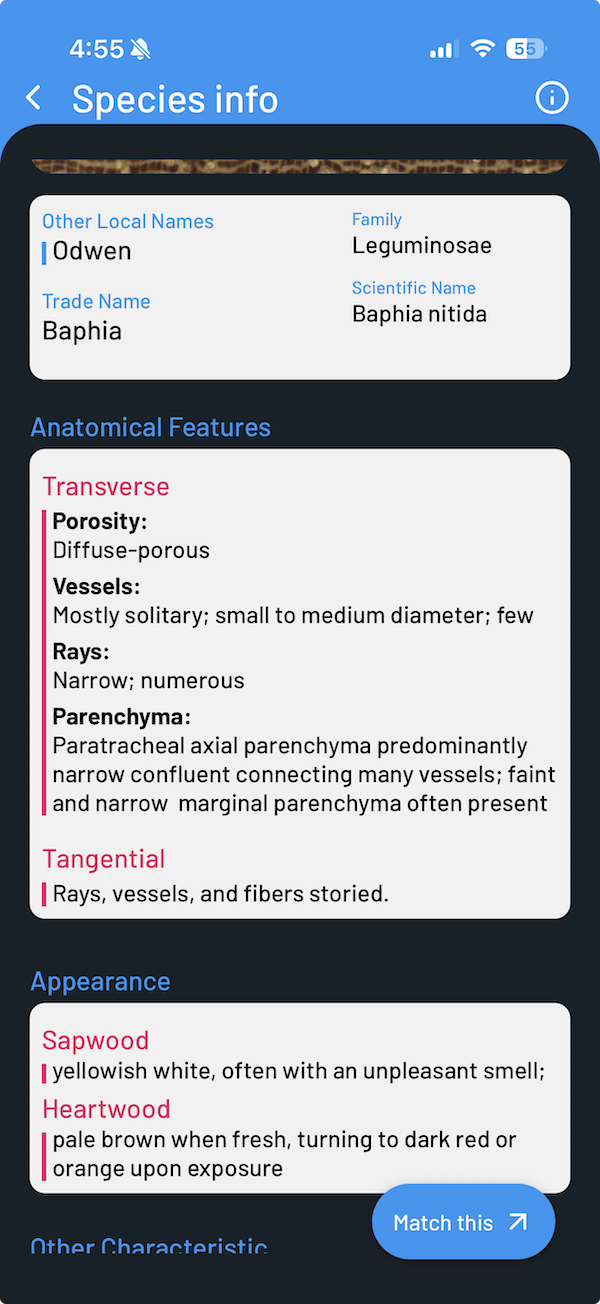
Names & Classification
- Scientific name — The Latin binomial name (e.g., Swietenia macrophylla)
- Common names — Widely used names in English and other languages
- Vernacular names — Local or regional names
- Family — Botanical family (e.g., Meliaceae)
- Wood type — Classification by density (light hardwood, medium hardwood, heavy hardwood)
Physical Properties
- Color appearance — Descriptions of sapwood and heartwood color
- Average air-dry density — Density in kg/m³
- Specific gravity — Dimensionless density ratio
Distribution & Uses
- Distribution — Geographical regions where the species is found
- Country — Specific countries of origin
- Uses — Common applications in woodworking, construction, furniture, etc.
Conservation Status
Species with available data display their IUCN Red List conservation status with color-coded icons:
- Least Concern
- Near Threatened
- Vulnerable
- Endangered
- Critically Endangered
Pay attention to the IUCN status when sourcing timber — some commonly traded species may be classified as Vulnerable or Endangered.
Macroscopic Reference Images
Each species includes at least one macroscopic cross-section image showing the end-grain surface. You can pinch to zoom on these images for a closer look at wood features such as pore arrangement, ray patterns, and color variations.
Microscopic Anatomy (Select Species)
Some species from the Ghana dataset include additional microscopic anatomy details:
- Vessel arrangement, diameter, and abundance
- Ray descriptions and storying patterns
- Fiber characteristics
- Distinctive features
Bookmarks & Favorites
Save species you frequently reference to your Favorites list for quick access.
Add a species to Favorites
On any species detail page or in the Database page, tap the Bookmark icon of any species entry to add it to your Favorites list.
View your Favorites
Access your saved species from the Favorites section in the Database tab.
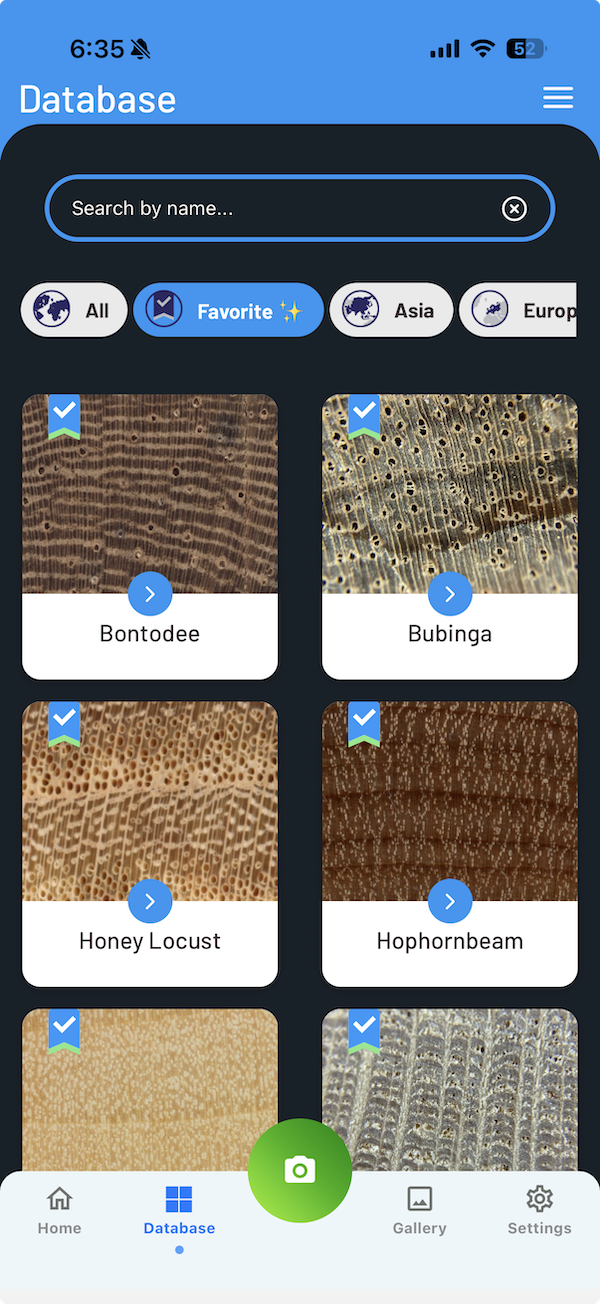
Remove from Favorites
Tap the Bookmark icon again on a favorited species to remove it from your list.
Camera
The Camera tab lets you capture images of wood specimens for manual referencing use.
Capturing an Image
Open the Camera
Tap the Camera tab (center button) in the bottom navigation bar. Grant camera permissions when prompted.
Focus and Capture
Tap the screen to set focus (a focus square indicator will appear), then press the capture button to take the photo.
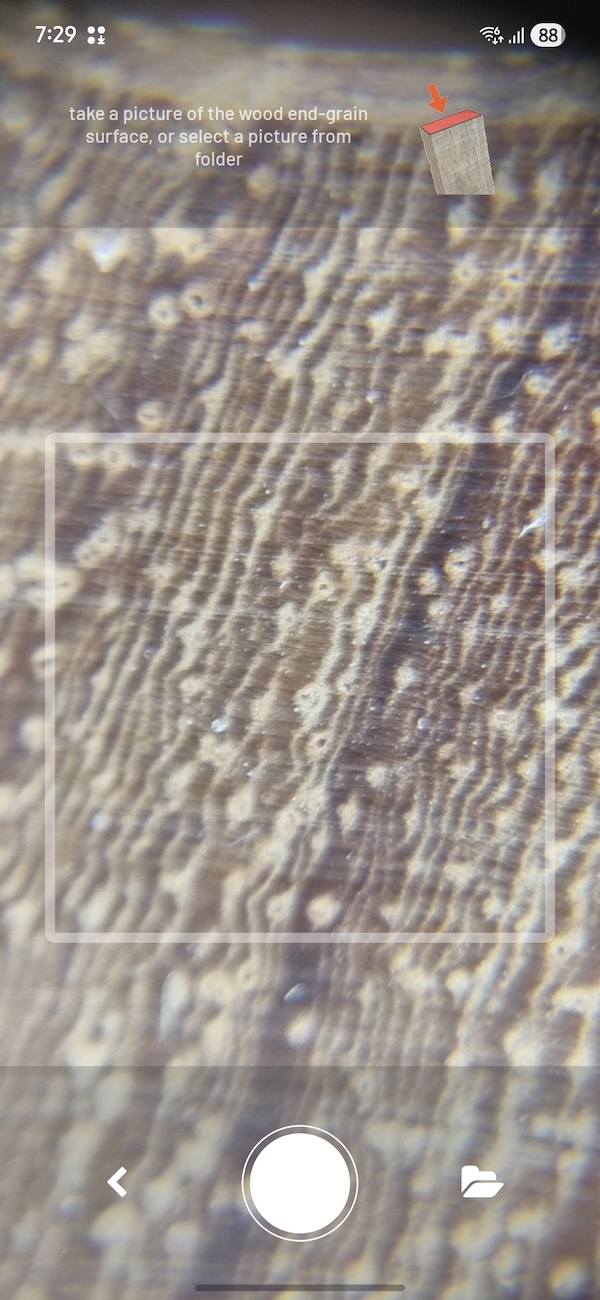
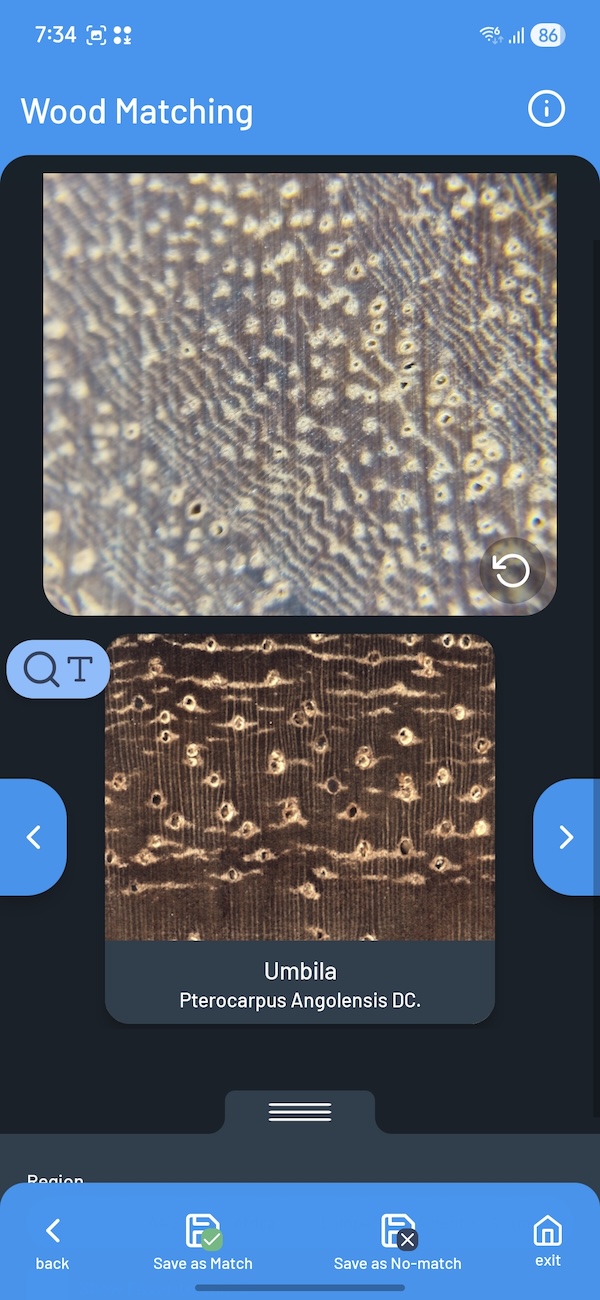
Manual Matching
After capturing, you can manually match the captured macroscopic end-grain images with reference images in the database by browsing or searching by text. You can further apply filter on the database by regions.
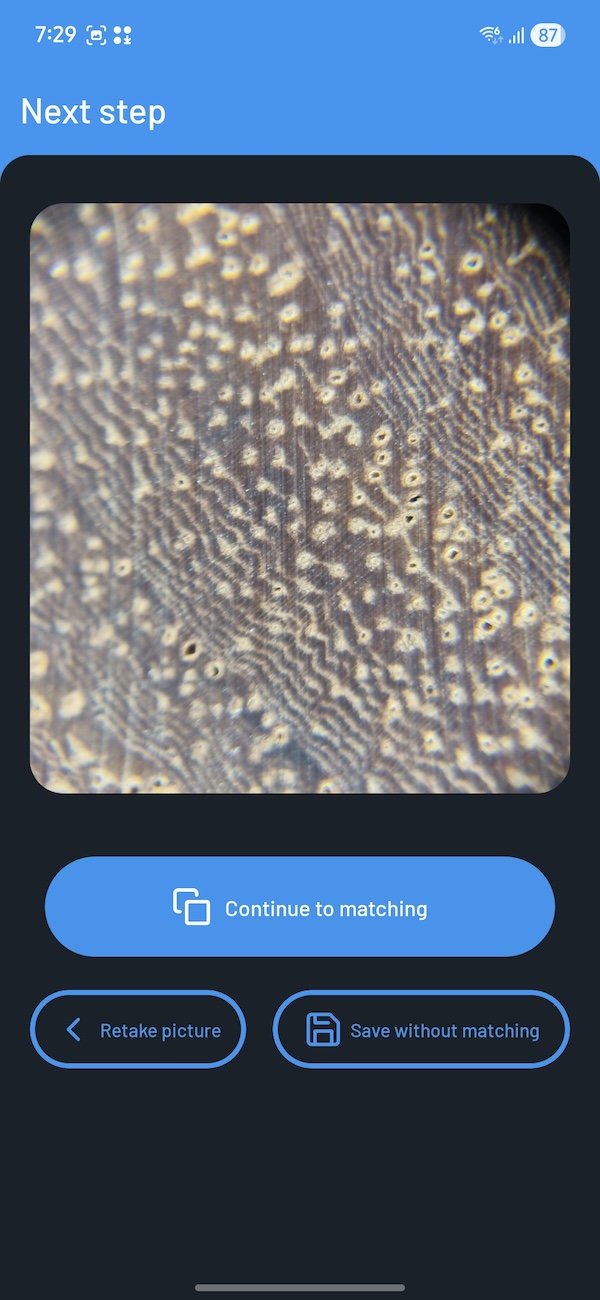
Add Metadata
When saving new image, you can add details to your image — an image name as a label for the specimen, and a description with notes about the wood sample.
Gallery
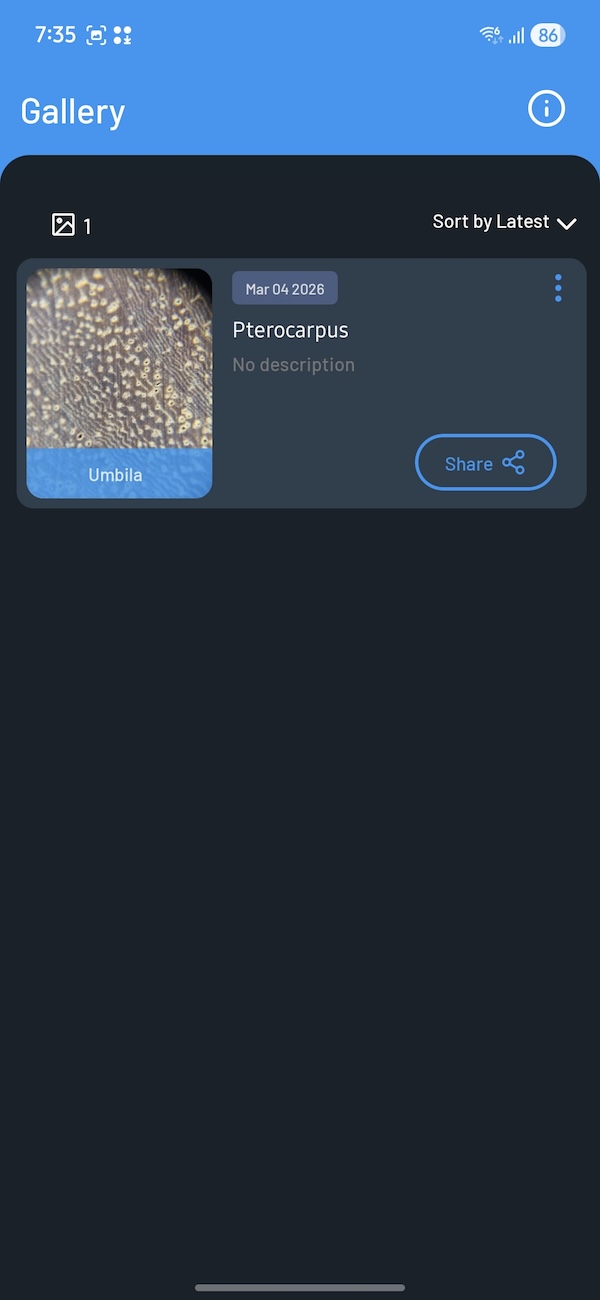
The Gallery tab displays all images you have captured with the Camera.
Viewing Images
- Browse your captured images in a scrollable list
- See the total image count at the top
- Sort images by newest or oldest first
- Tap any image to view it in full screen with pinch-to-zoom
Managing Images
For each captured image, you can:
- Edit — Update the image name and description
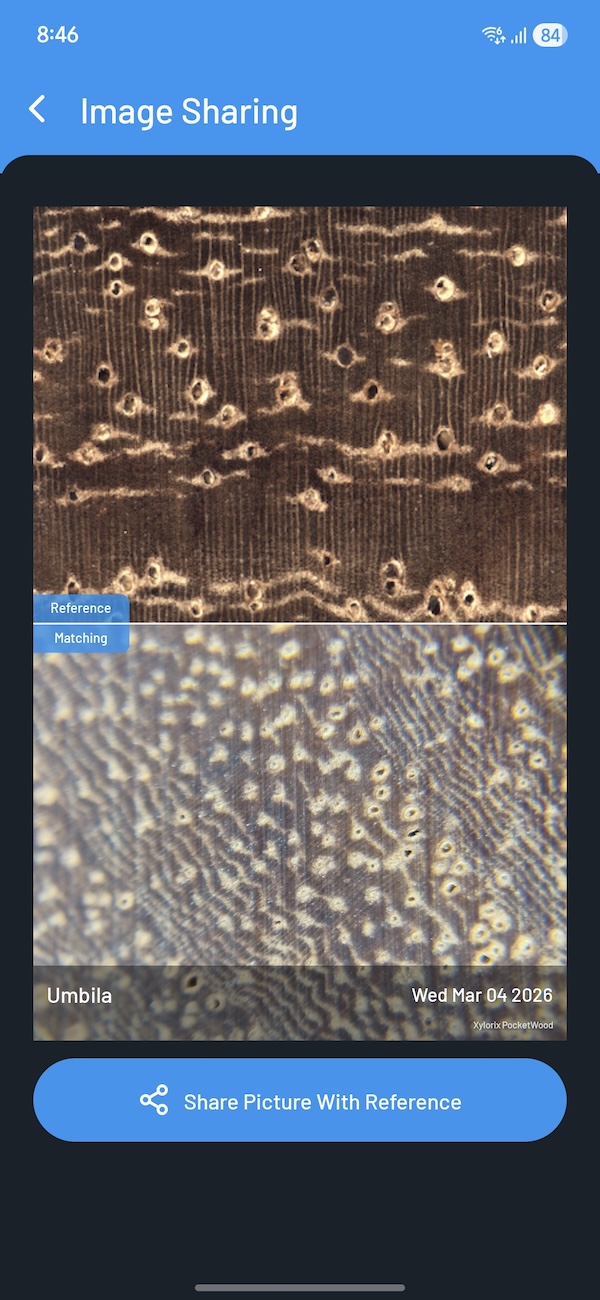
- Share — Share the image via your device's share menu (email, messaging apps, etc.). You can also share the images you captured together with the reference images in the database for comparison use.
- Delete — Remove the image permanently (with confirmation prompt)
Settings
Access app preferences and information from the Settings tab.
Language
Change the display language at any time. Available languages:
- English
- Español (Spanish)
- Português (Portuguese)
- 中文 (Chinese)
- Bahasa Malaysia (Malay)
Offline Use
All wood species, reference images, and property data are available within the app. Once installed, PocketWood works entirely offline — no internet connection is required to browse the database, view species details, or access reference images.
PocketWood is ideal for fieldwork in remote areas where internet access may be limited or unavailable.